PresentSir.
PresentSir is an attendance and payroll app I designed and built for construction teams. Workers check in and out from their assigned site using location and photo proof, while the office gets a clear attendance record for payroll. It is currently used by 86 workers across 14 sites.
01
Why I built it
Many construction sites still track attendance in a paper register. A supervisor writes down who came to work, sends the register to the office at the end of the month, and someone enters the same information into a spreadsheet to calculate payroll. It is slow, easy to get wrong, and difficult to verify later.
This creates problems for everyone. Workers can be paid for the wrong number of days, supervisors have to answer attendance questions weeks later, and owners do not get a clear view until the month is over. I built PresentSir so attendance is recorded by the worker when it happens and stays connected to payroll from day one.
02
Designing for the people using it
The worker app had to be simple enough to use every day on an affordable Android phone, often outdoors and in a hurry.
Workers sign in with their phone number and a six-digit PIN. There are no password rules, verification emails, or long reset flows. If someone forgets their PIN, they can contact their supervisor, which matches how support already works on site.
03
Checking in and out
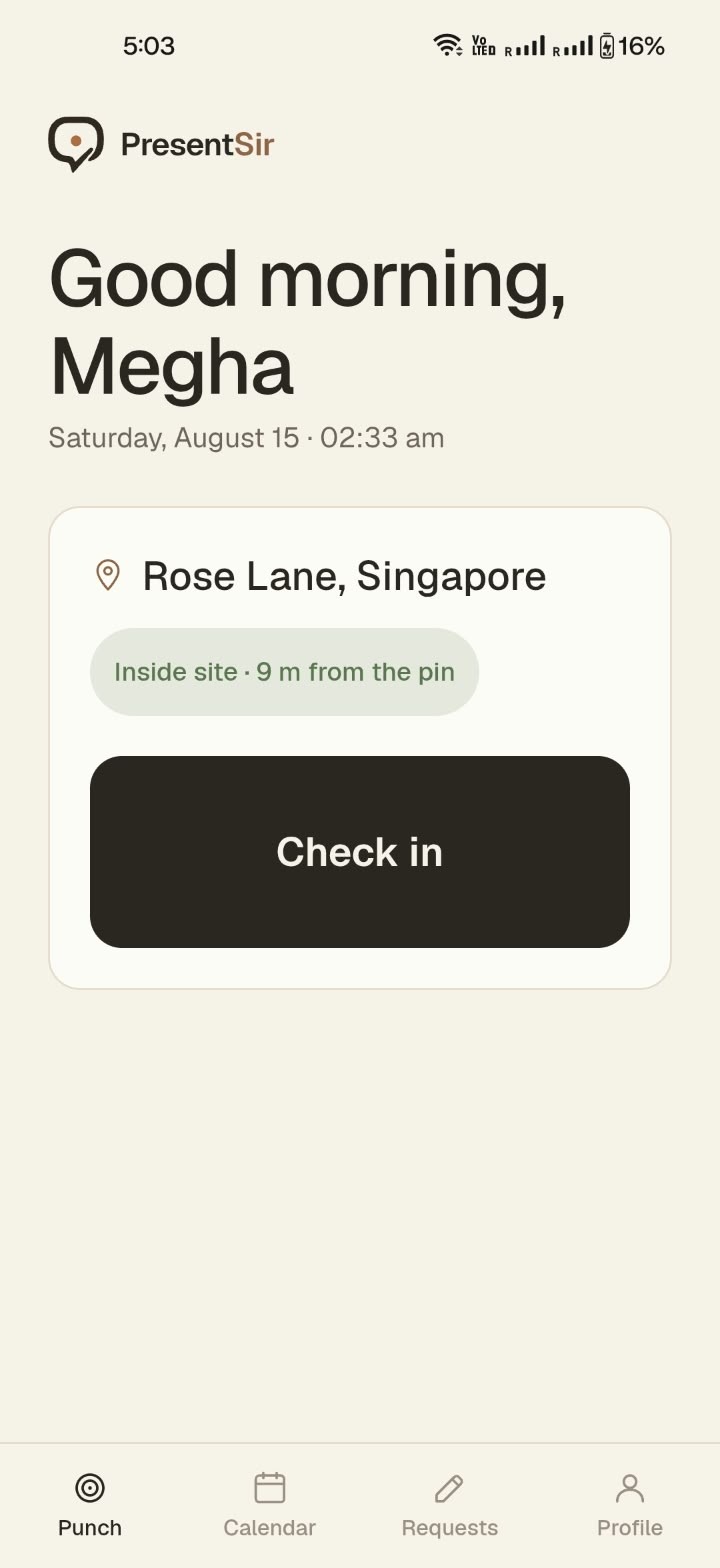
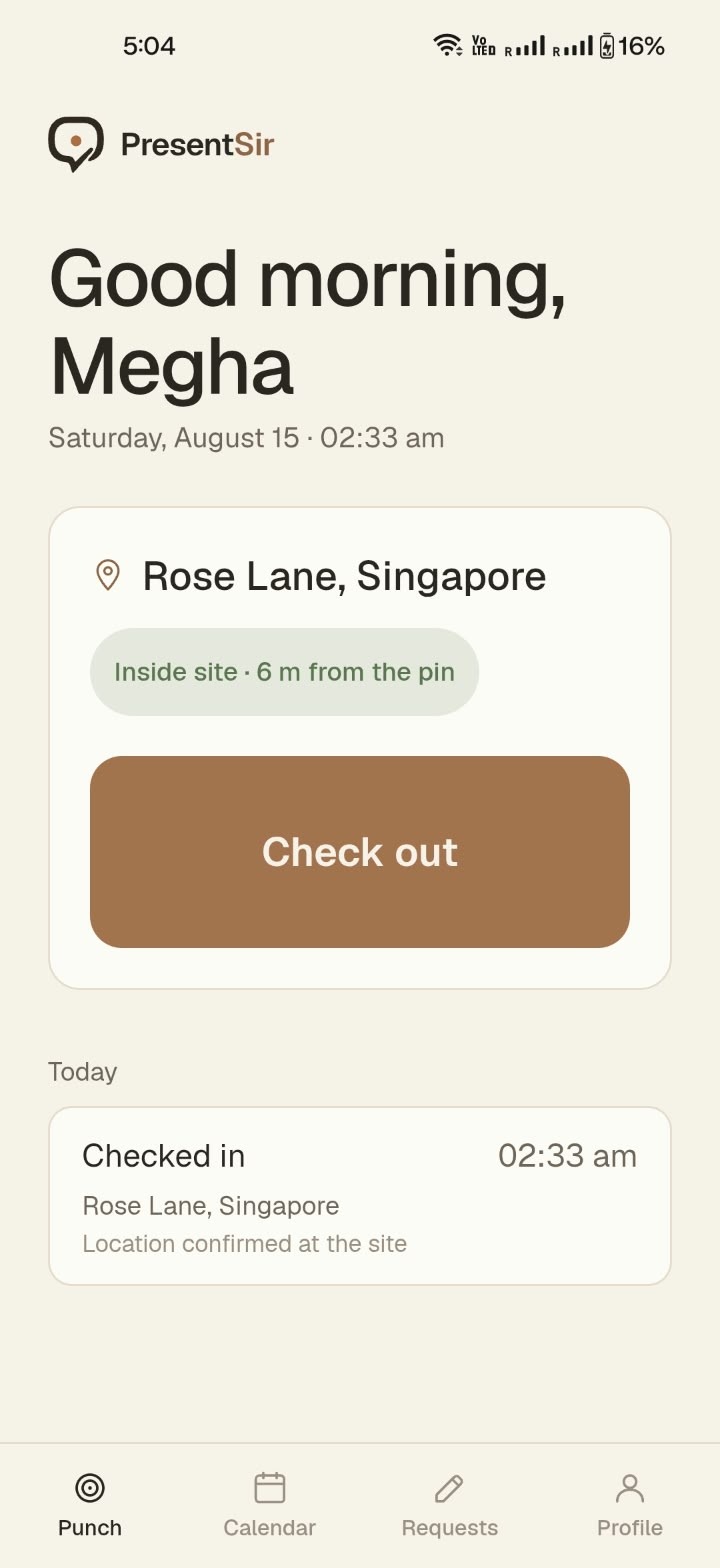
The main worker flow has only two actions: check in and check out. The home screen shows the worker's name, current time, assigned site, distance from the site, and one clear button. I used different colours for check-in and check-out so the current action is easy to recognise, even in bright sunlight.
When a worker taps the button, PresentSir checks their location and adds a photo to the attendance record. The screen clearly says whether they are inside the allowed site area and how far they are from the site pin. If they are outside the boundary, they can understand why the action is blocked without having to call a supervisor. After check-out, the app shows the completed record with the site, time, and location status.
04
Attendance and requests
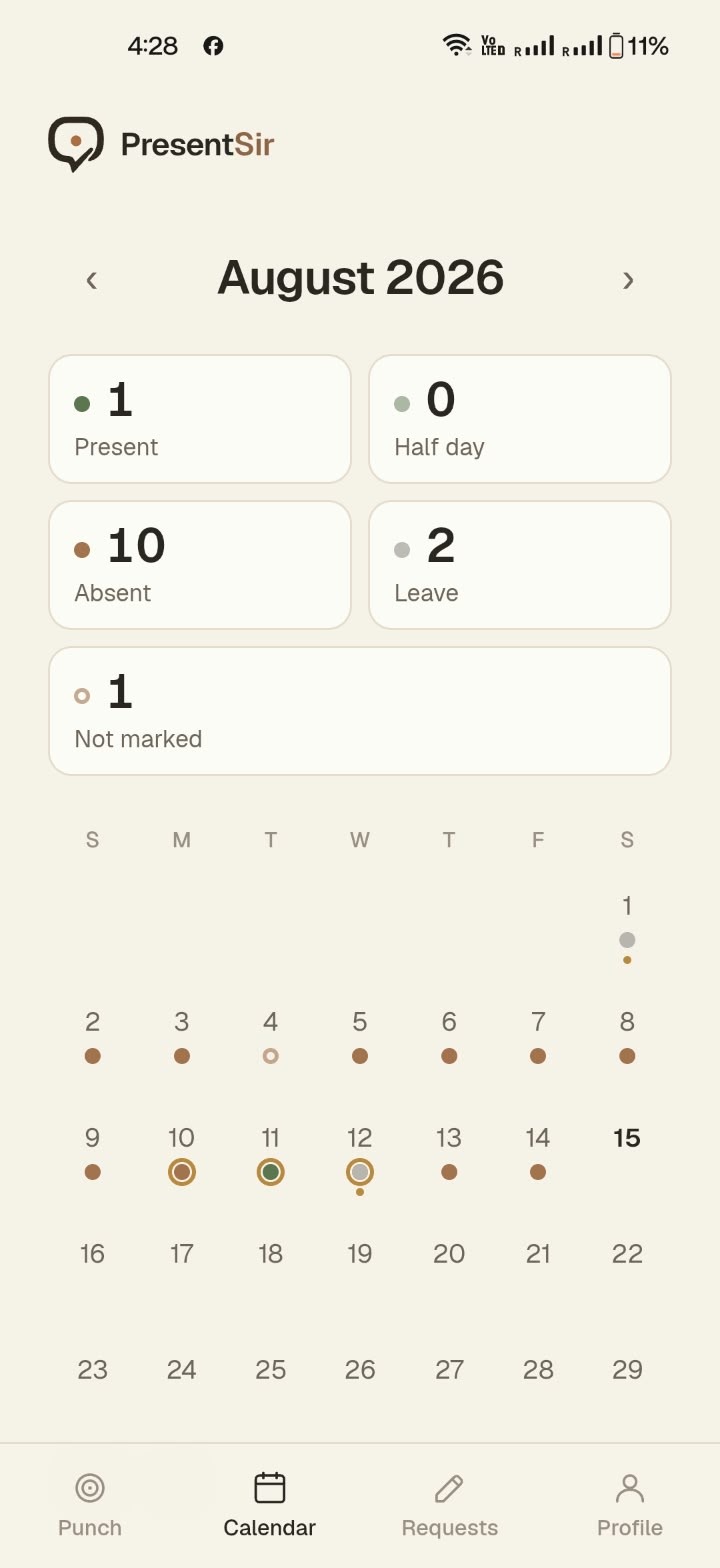
Workers can see the same monthly attendance record that the office sees. Each day is marked as present, half day, absent, leave, or not marked, with the monthly totals shown at the top. I kept “not marked” as a separate state so missing information is not automatically counted as an absence. Half days and absences are calculated from the recorded hours, while check-ins outside the site boundary are sent for review.
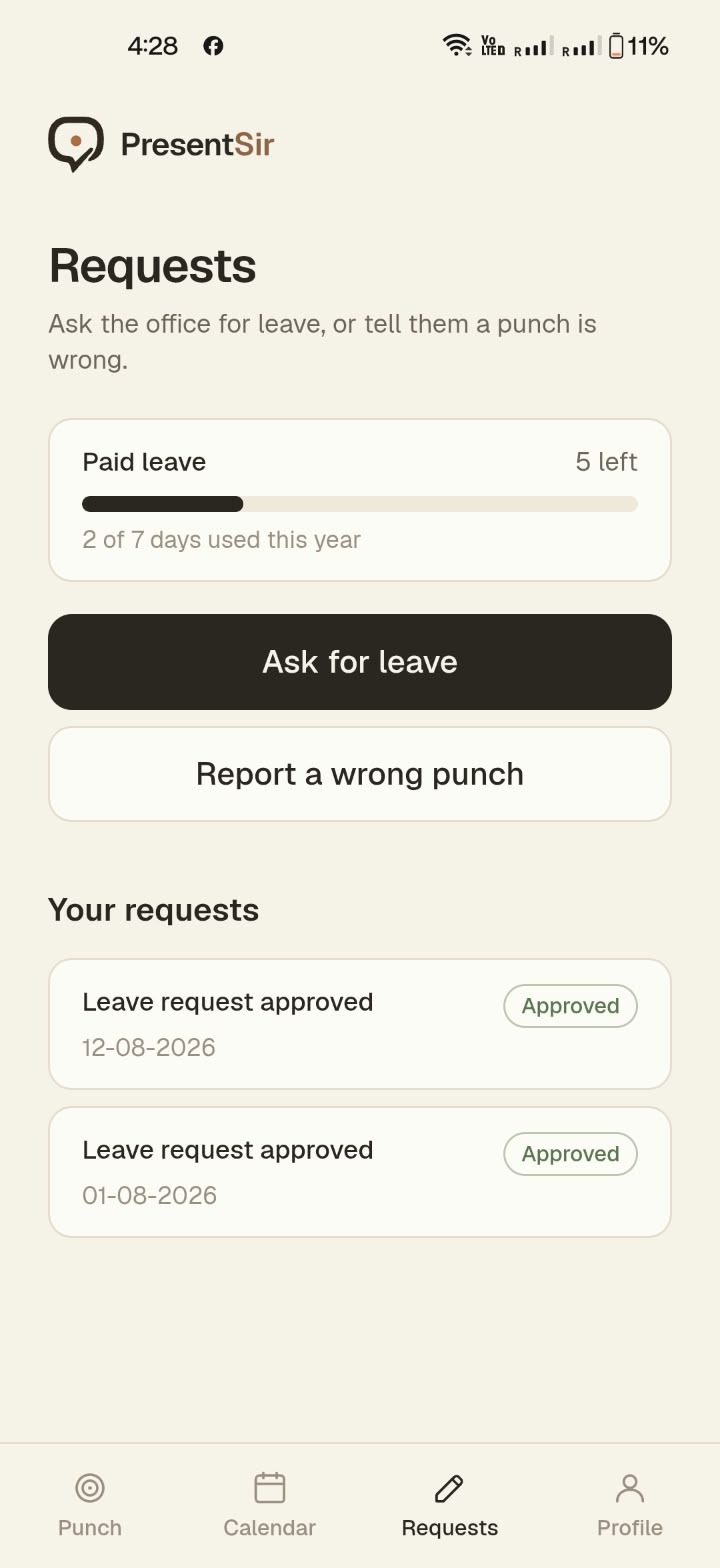
Workers can also request leave or report an incorrect attendance entry from the app. Their available leave balance is shown on the same screen, and every request has a visible status. This gives workers a clear record instead of making them depend on a verbal conversation with a supervisor.
05
Setting up a site boundary
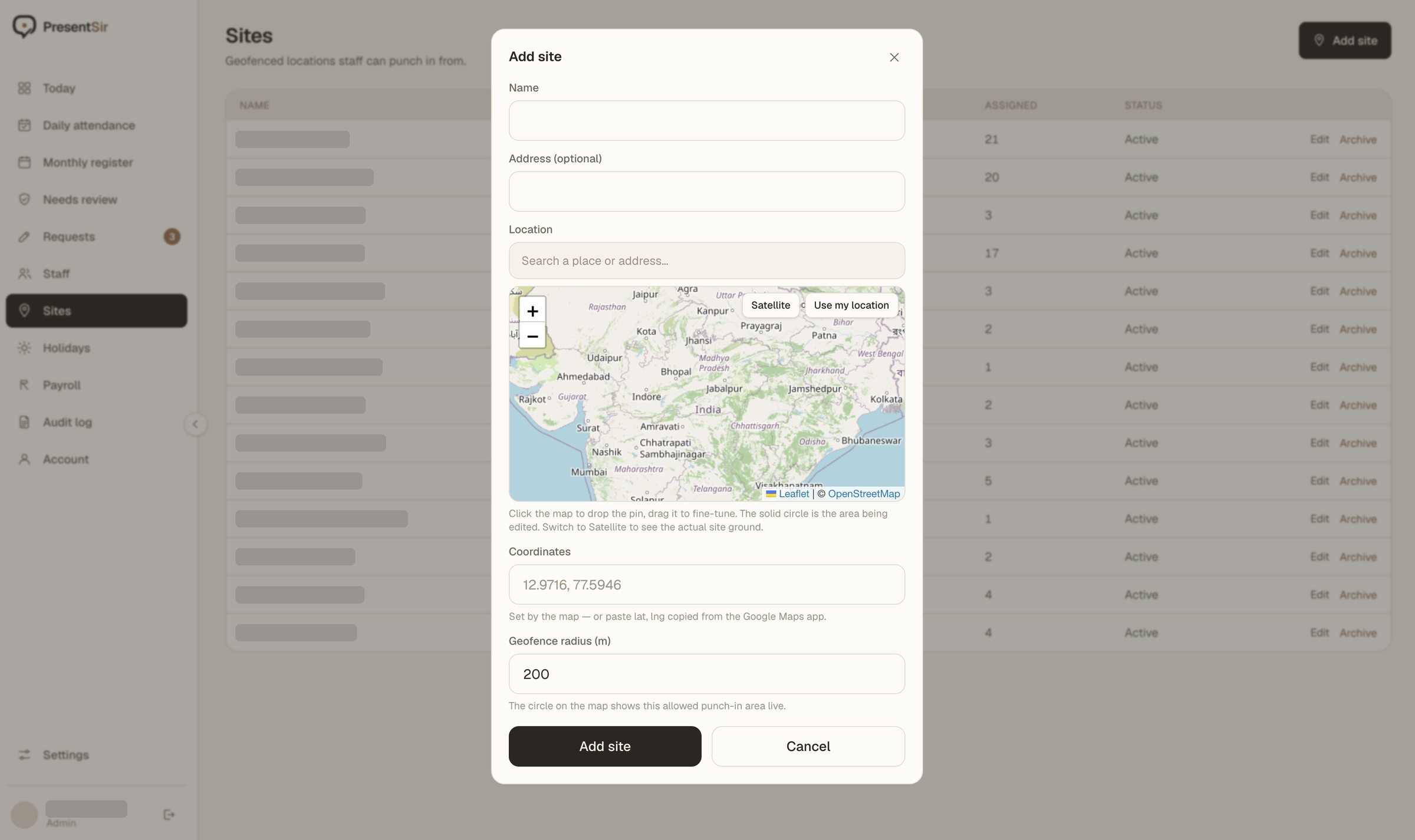
Before workers can check in, an admin creates the site and sets its allowed attendance area. The company using PresentSir currently manages 14 locations, so this setup needed to be quick and easy to adjust.
The admin can drop a pin on the map, move it to the correct position, and choose the geofence radius. The boundary updates live on the map, making it easier to see what an area such as 200 metres actually covers before saving it. Coordinates can also be pasted from Google Maps, and satellite view helps when a new construction site is not clearly visible on a standard map.
The boundary needs to be accurate. If it is too small, workers at the site may be blocked. If it is too large, someone could check in from outside the site. Showing the boundary directly on the map helps the admin make a better decision. Site names and account details are redacted in the screenshot.
06
The admin dashboard
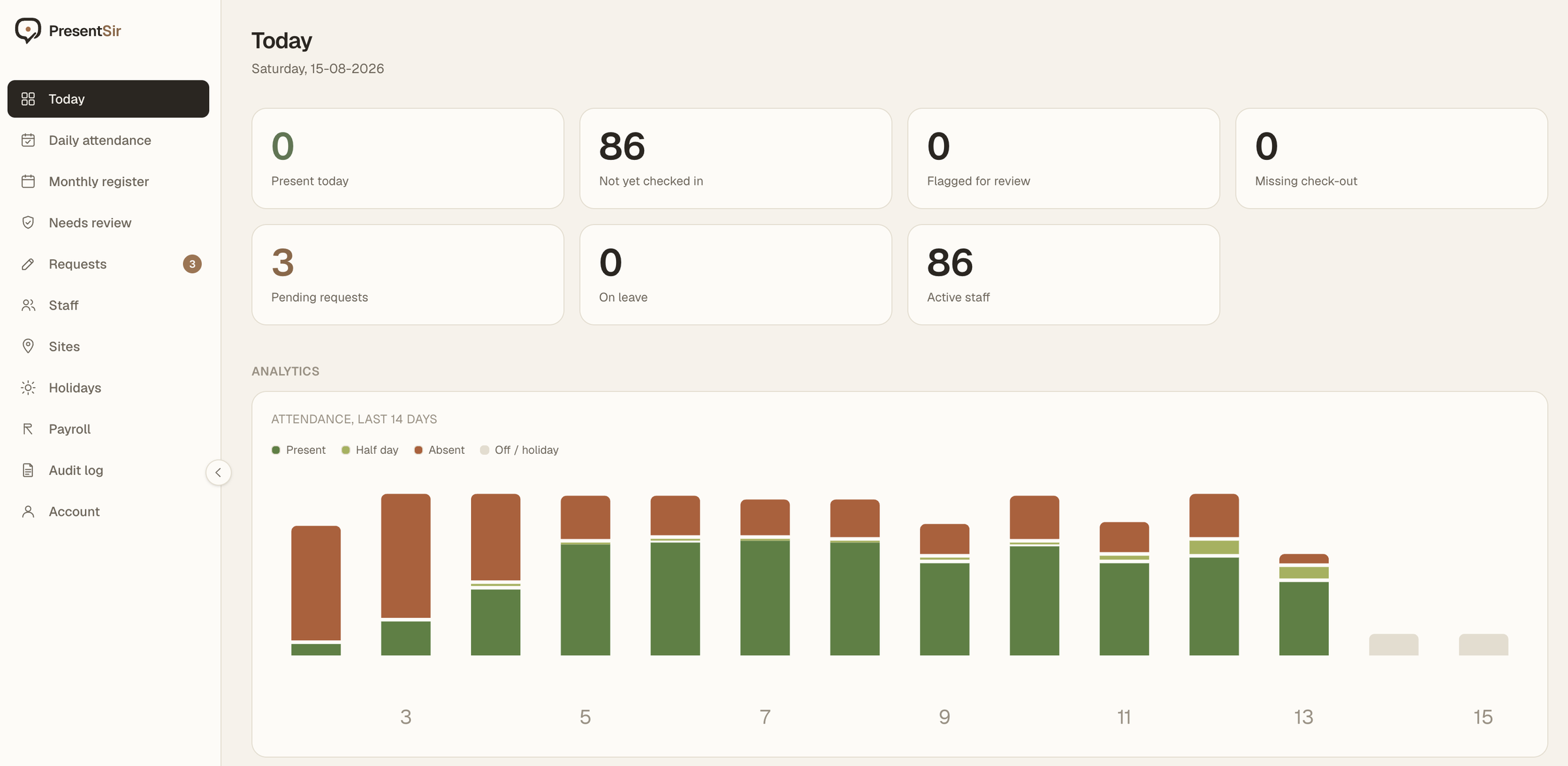
The dashboard gives the owner and office team a quick view of attendance across all sites. Seven summary cards show who is present, who has not checked in yet, flagged entries, missing check-outs, pending requests, people on leave, and the total number of workers.
I kept “not checked in yet” separate from “absent” because someone should not be marked absent while the workday is still in progress. Missing check-outs are also highlighted so the office can fix incomplete records before payroll. A 14-day chart shows attendance patterns across sites, while holidays and weekly off days remain separate from absences.
07
From attendance to payroll
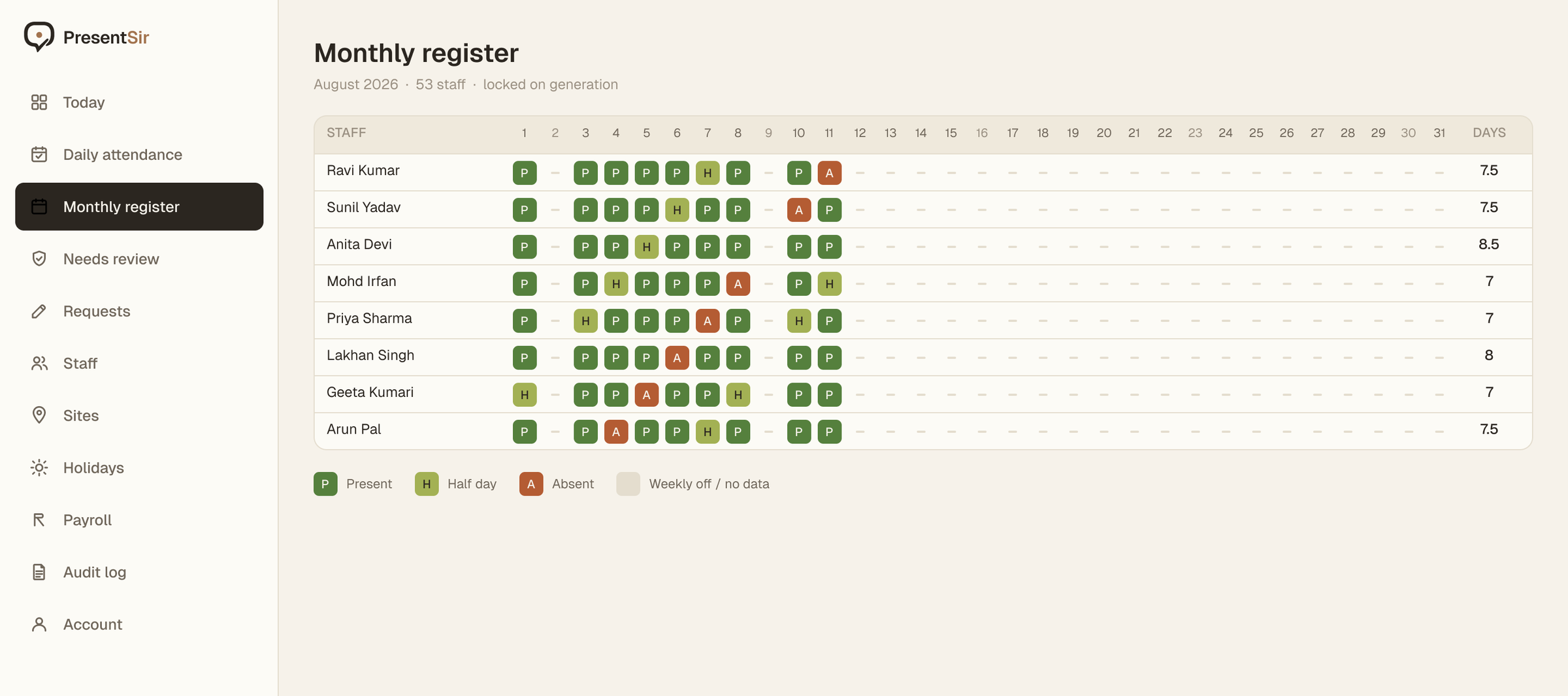
At the end of the month, the office can generate an attendance register with workers listed by row and each day shown in a separate column. Present days, half days, absences, and leave are already calculated from the daily records, so the team does not need to enter the same data again in a spreadsheet.
Once the register is generated, it is locked. Any correction made after that is saved as a new entry with the name of the person who changed it and the time of the change. The original record stays in the audit log. This gives the office a reliable payroll record and makes later changes easier to track.
08
The result
PresentSir is live and used by 86 workers across 14 sites. Replacing the paper attendance register and the month-end attendance spreadsheet with one system. Workers record their own attendance on site, the office can review issues as they happen, and the same records are used to prepare payroll at the end of the month.