Vedynq.
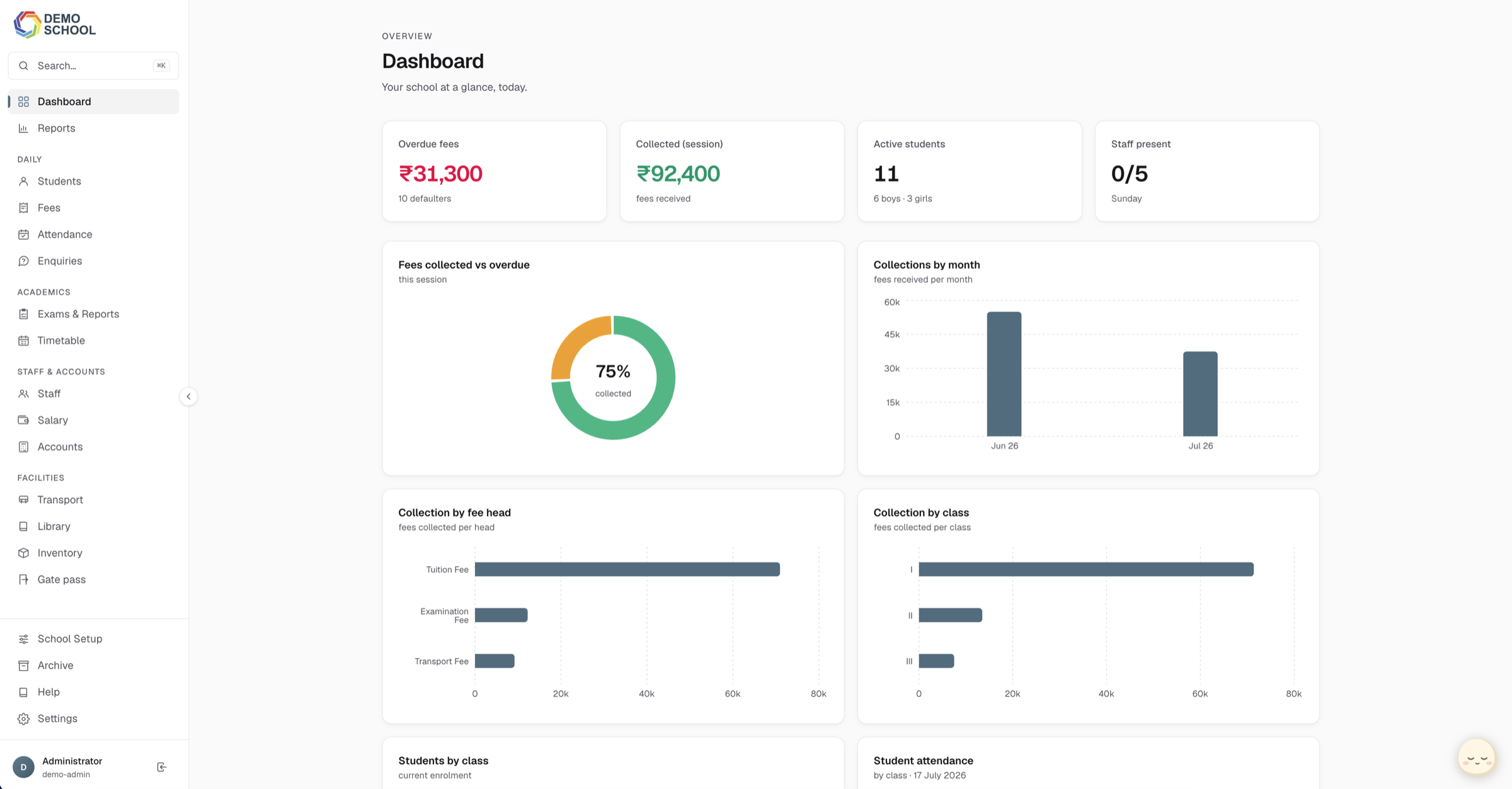
Vedynq is a school management platform I designed and built to replace an outdated desktop app and multiple spreadsheets. It brings fees, attendance, exams, staff, accounts, and other daily work into one system. Three schools currently use it every day.
01
Why I built it
A school approached me because its existing management software was slowing the office down. Staff were using an old desktop program alongside several spreadsheets, often entering the same student information more than once. The owner also had to ask someone to prepare a report before they could see the day's fee collections.
I set out to build one system that was faster to use, easier to understand, and able to show the current state of the school without waiting for a manual report.
02
Understanding the daily work
Before designing the product, I spent time in the school office with the people who would use it: front office staff, the accountant, and the owner. I watched how they collected fees, added admissions, searched for students, and moved information between the desktop app and spreadsheets.
I mapped these workflows and focused first on the areas where mistakes caused the most trouble: fee reconciliation, repeated data entry, access permissions, and the lack of a clear record of who changed something.
03
Problems with the old system
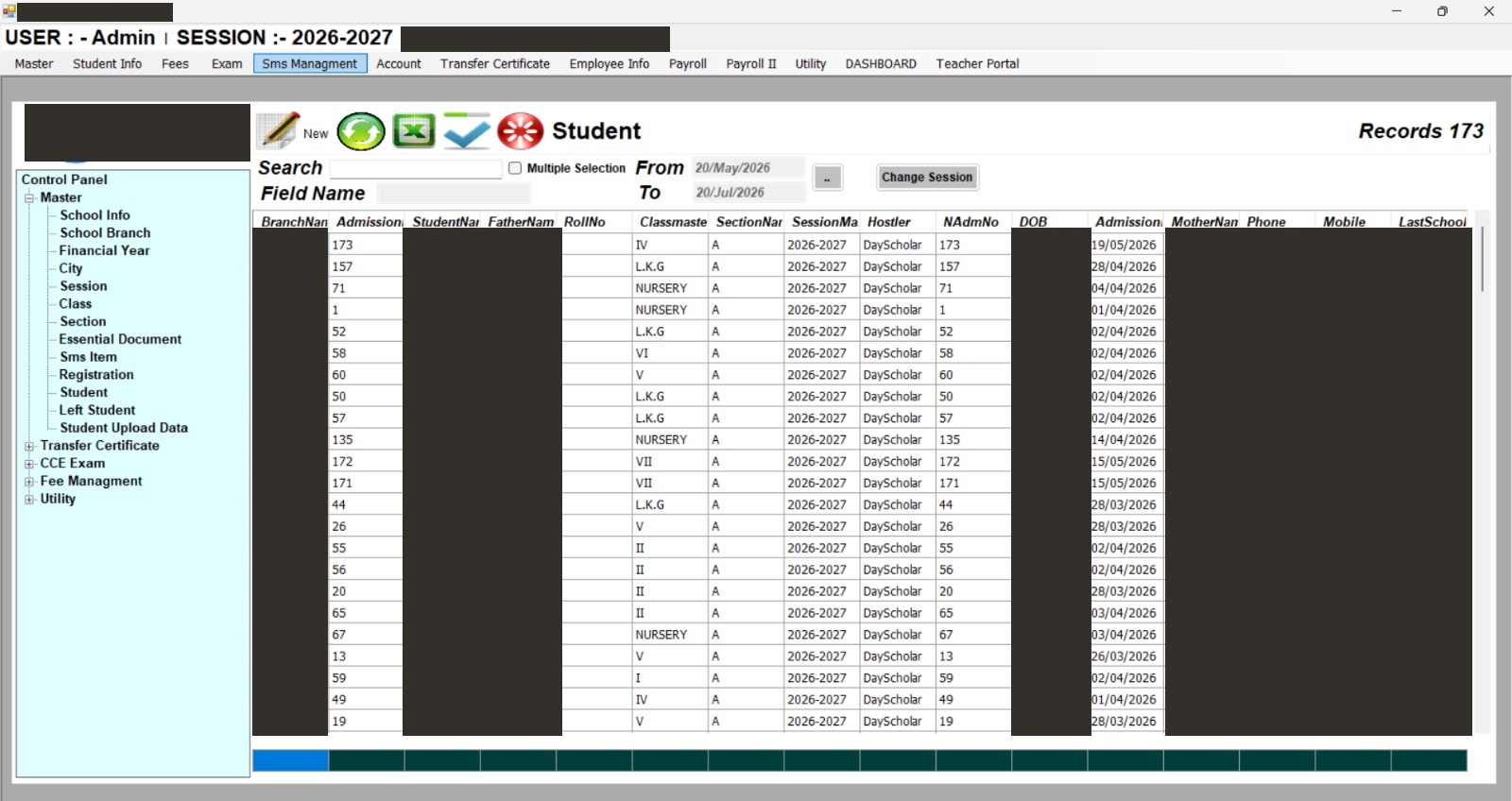
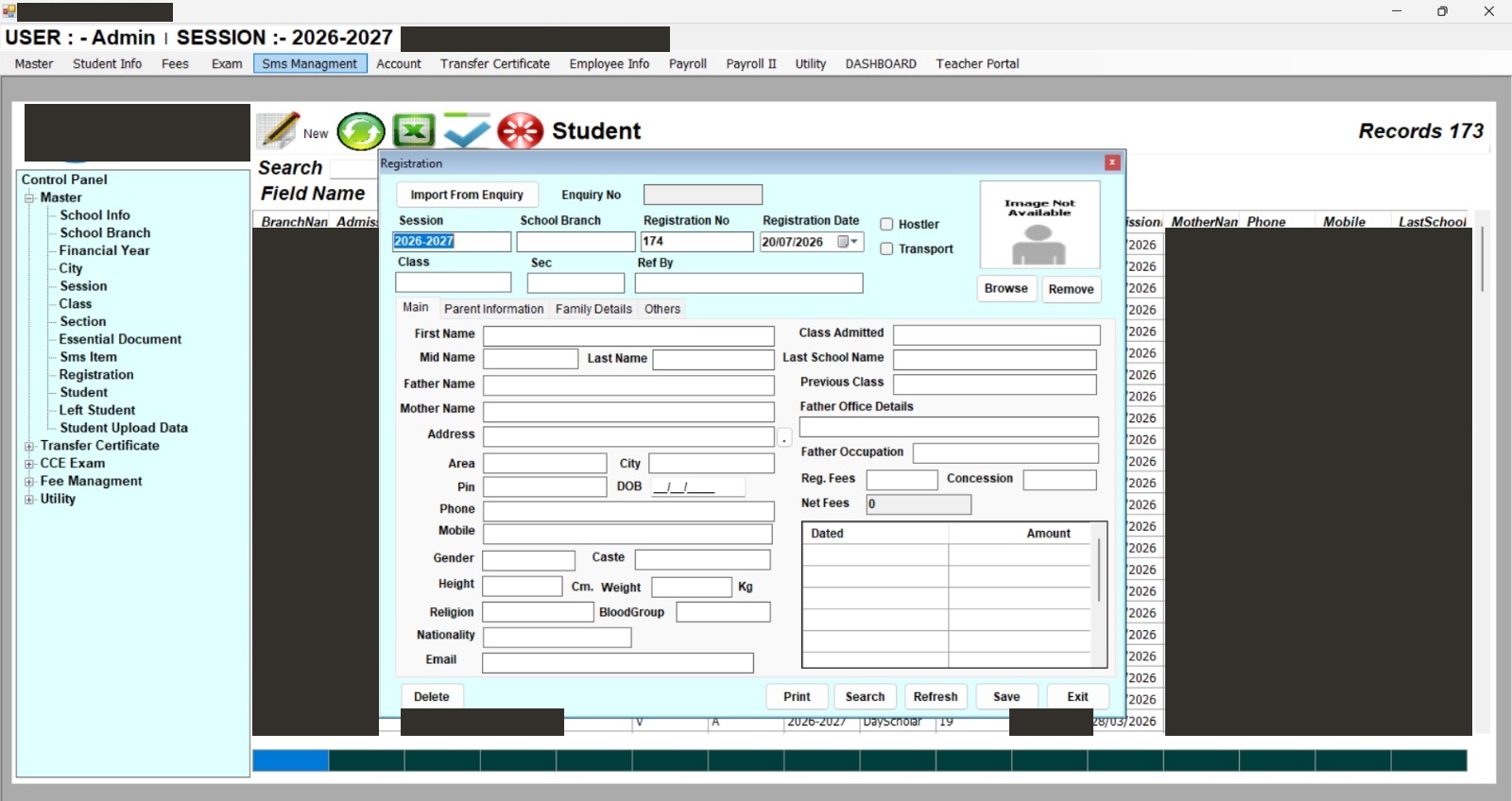
The old software had 13 main menus, including separate sections called Payroll and Payroll II, with more screens nested inside each one. Common tasks were difficult to find, so experienced staff relied on memory to move through the system. Adding a student started with more than 25 fields on the first tab and continued across three more tabs. Finding an existing student meant scrolling sideways through one long table.
The whole office also shared a single admin account, which meant there was no reliable record of who made a change. The software only worked on Windows, ran slowly, and still required staff to enter the same information in separate spreadsheets. The screenshots below contain real examples from the old system, with student and guardian details removed for privacy.
04
Designing a clearer system
I followed a few basic rules while designing Vedynq. Each screen should have one clear purpose, important information should be visible without opening several pages, and every user should see the tools that match their role. The owner starts with a school-wide overview, while front office staff see the work relevant to them.
Changes are also recorded instead of silently replacing old information. Every edit includes the user and time. Payments cannot be edited in place; if a correction is needed, the system creates a new entry and keeps the original in the history. This makes mistakes easier to fix without losing the audit trail.
05
Collecting a fee
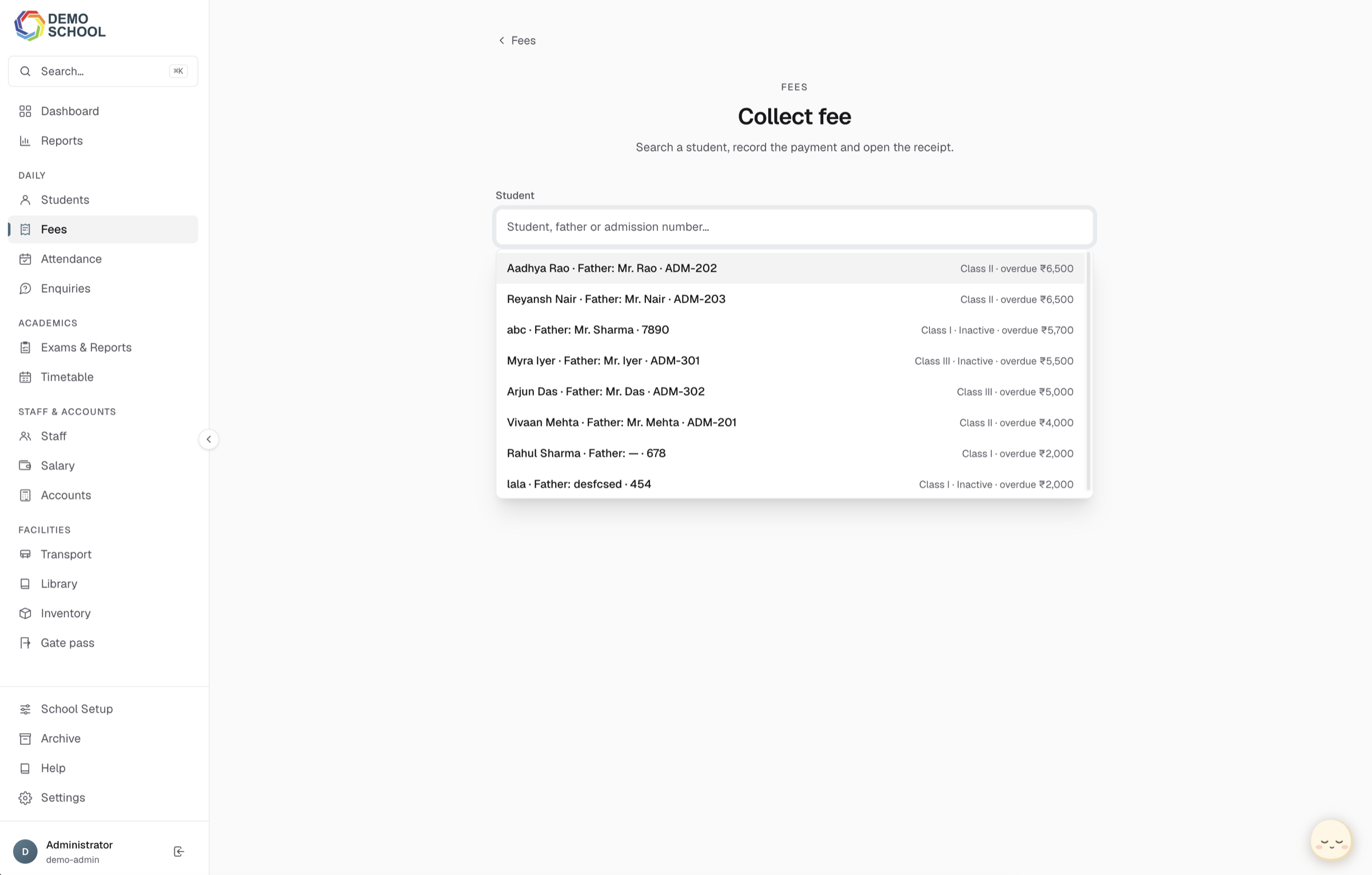
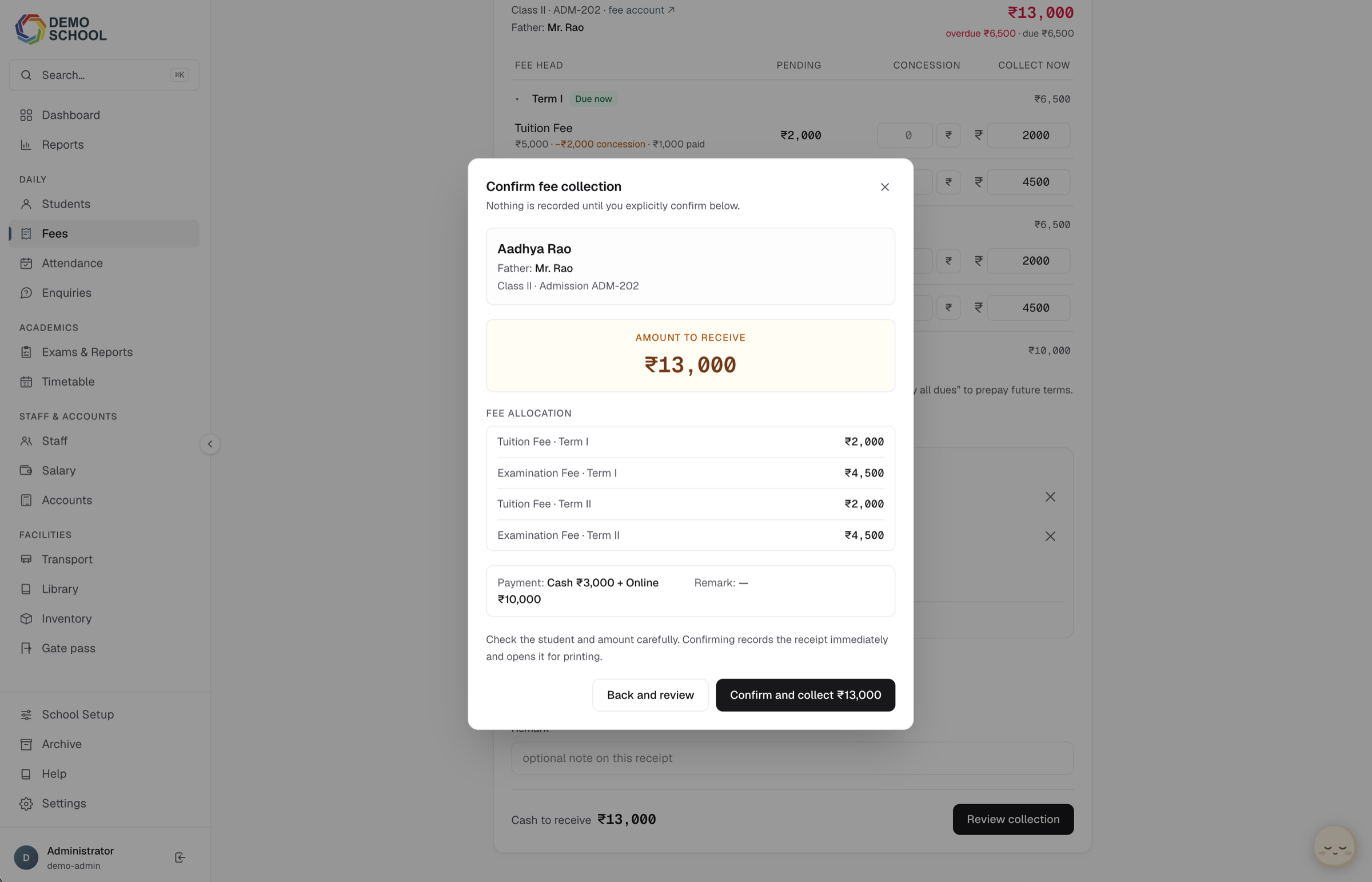
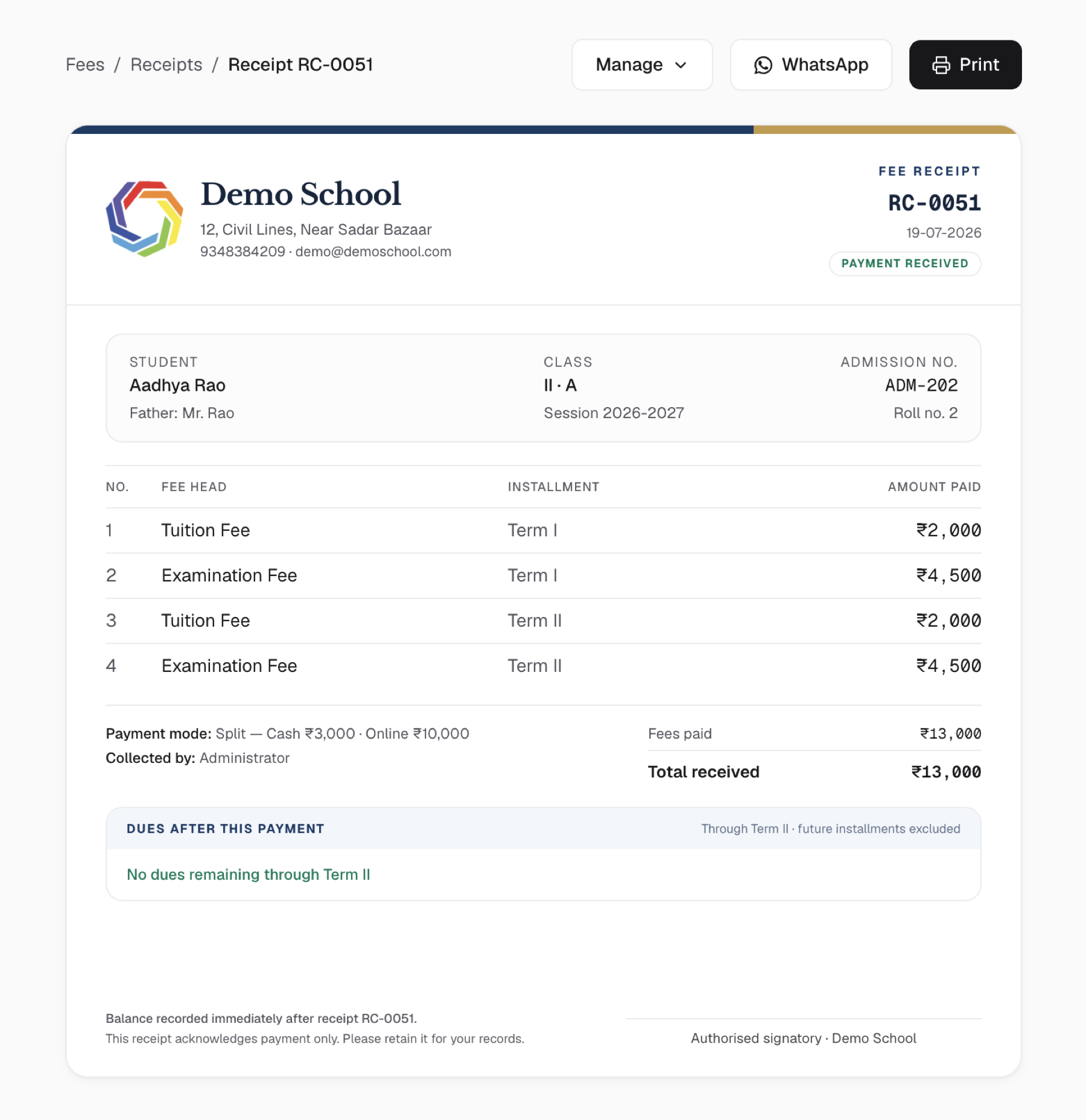
Fee collection was one of the busiest and most error-prone tasks in the office, so I designed it as a short five-step flow. The cashier finds the student, checks the outstanding balance and instalment plan, enters the payment, reviews the details, and issues a receipt.
Vedynq calculates late fees, sibling discounts, and partial payments before anything is saved. The cashier can review the final amount instead of calculating it manually while parents are waiting. The receipt is generated from the same payment record, so the copy given to the parent matches what the school keeps in the system.
06
Faster navigation
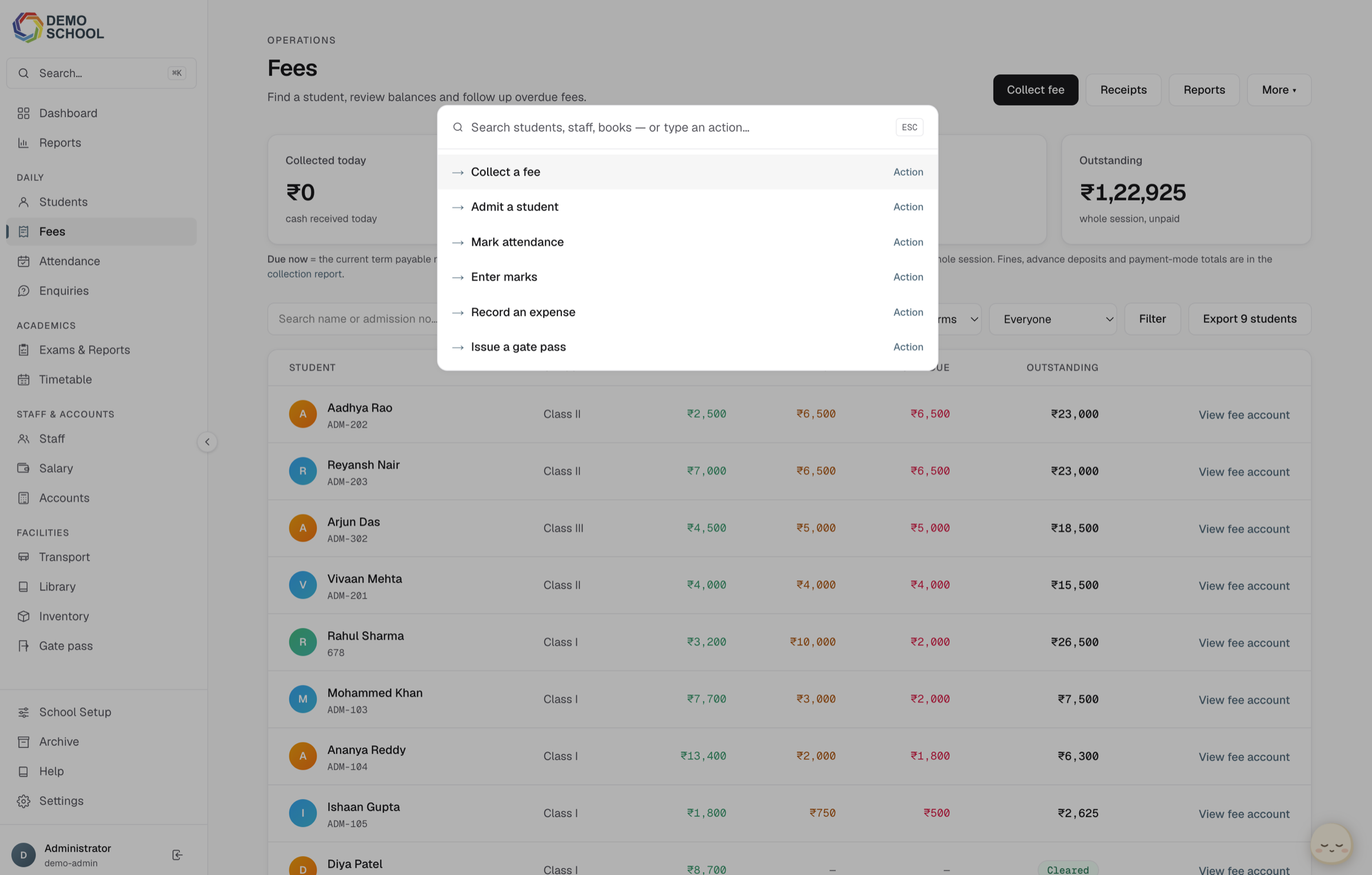
Front office staff use the platform throughout the day, so small navigation delays quickly add up. I added a Command-K search that lets them open any student, screen, or action from the keyboard.
New staff can continue using the regular menus while they learn the system. More experienced staff can use search and keyboard shortcuts to move faster without changing how the rest of the product works.
07
Twelve connected modules
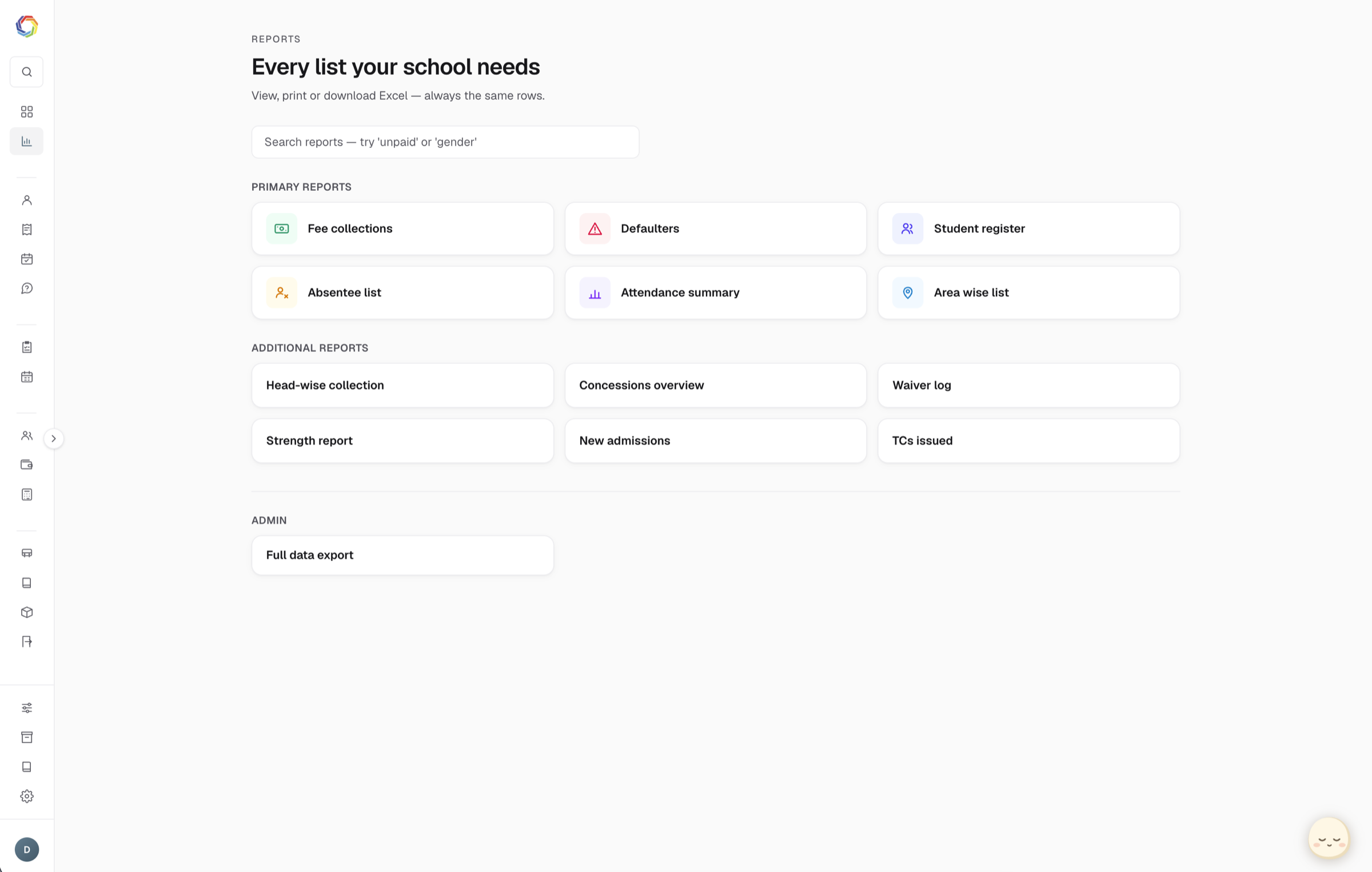
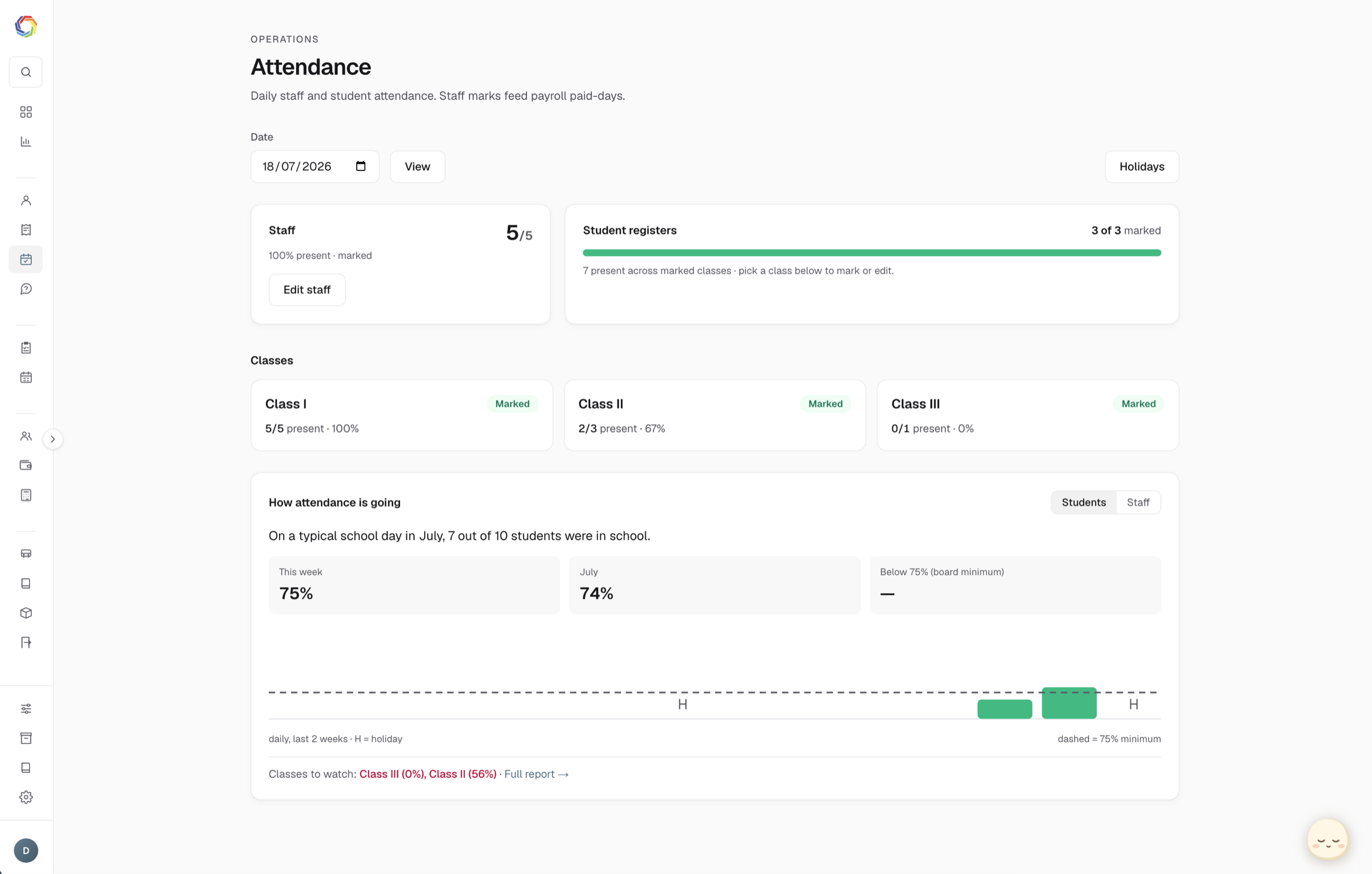
Vedynq includes 12 modules for fees, students, attendance, exams, timetables, staff, salary, accounts, transport, library, inventory, and gate passes. They share the same interface and use the same student, staff, and financial records.
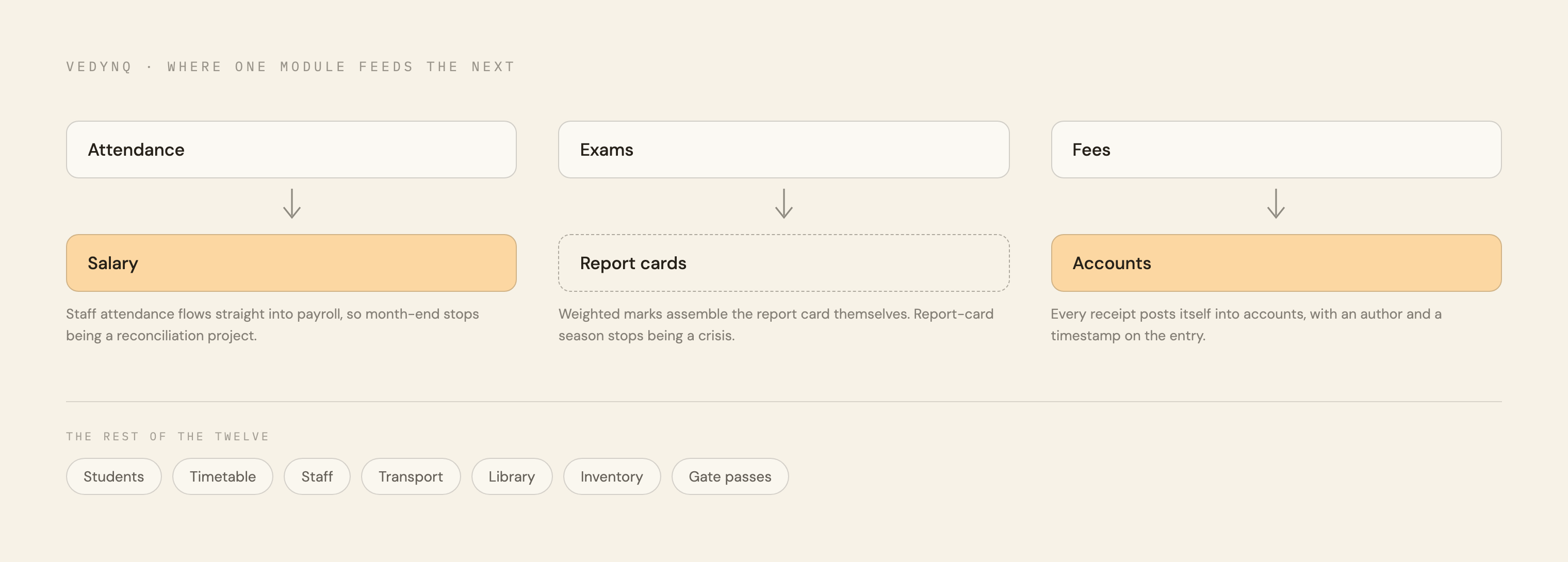
The modules also pass information between each other. Attendance is used for salary calculations, exam marks are used to create report cards, and fee payments are recorded in accounts. Staff no longer need to copy the same data into different parts of the system to keep everything updated.
08
How information moves through Vedynq
This map shows the main connections between modules. An action completed in one part of Vedynq can update the next part of the school workflow automatically, replacing work that staff previously handled through spreadsheets and repeated data entry.
09
Meet Vedu
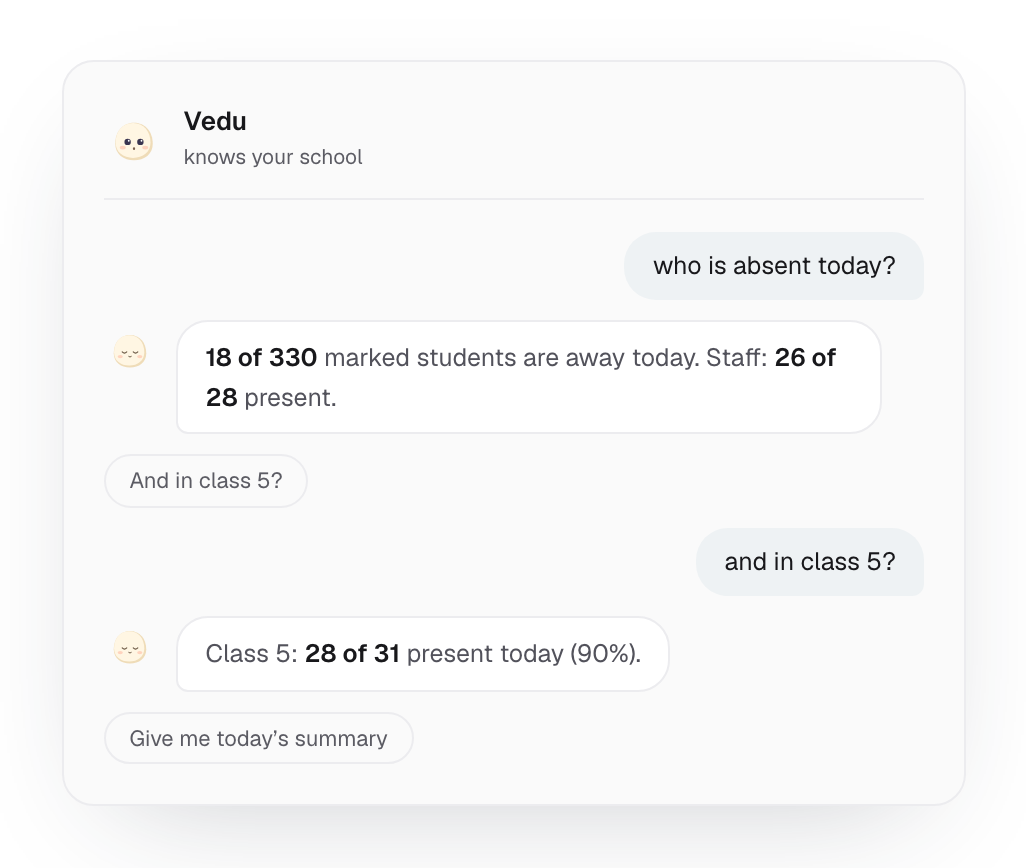
A school management system with 12 modules can take time to learn, so I added Vedu, a virtual assistant available inside the app. The name comes from “ved,” the Sanskrit word for knowledge.
Staff can ask Vedu a question in plain language, such as who is absent today or where to complete a task. It answers using the help guide and the school's own data, then directs the user to the relevant screen. Vedu runs on a small self-hosted model, which keeps the running cost low.

10
The result
Vedynq is now used every day by three schools. It has replaced the old desktop software and separate spreadsheets with one connected platform. Staff can complete common tasks faster, the owner can see current information without waiting for someone to prepare it, and important changes remain traceable.
The product is still evolving as the schools use it. Feedback from staff continues to shape smaller improvements and the next set of features.